Documentation · Integrations and agents
AI agents
Let Claude or another assistant work your GiftWell for you: ask who is waiting, log a conversation, set up a new church. Each connection is named, scoped to a role, and expires.
For: AdminOwner
See this screen in the demo church
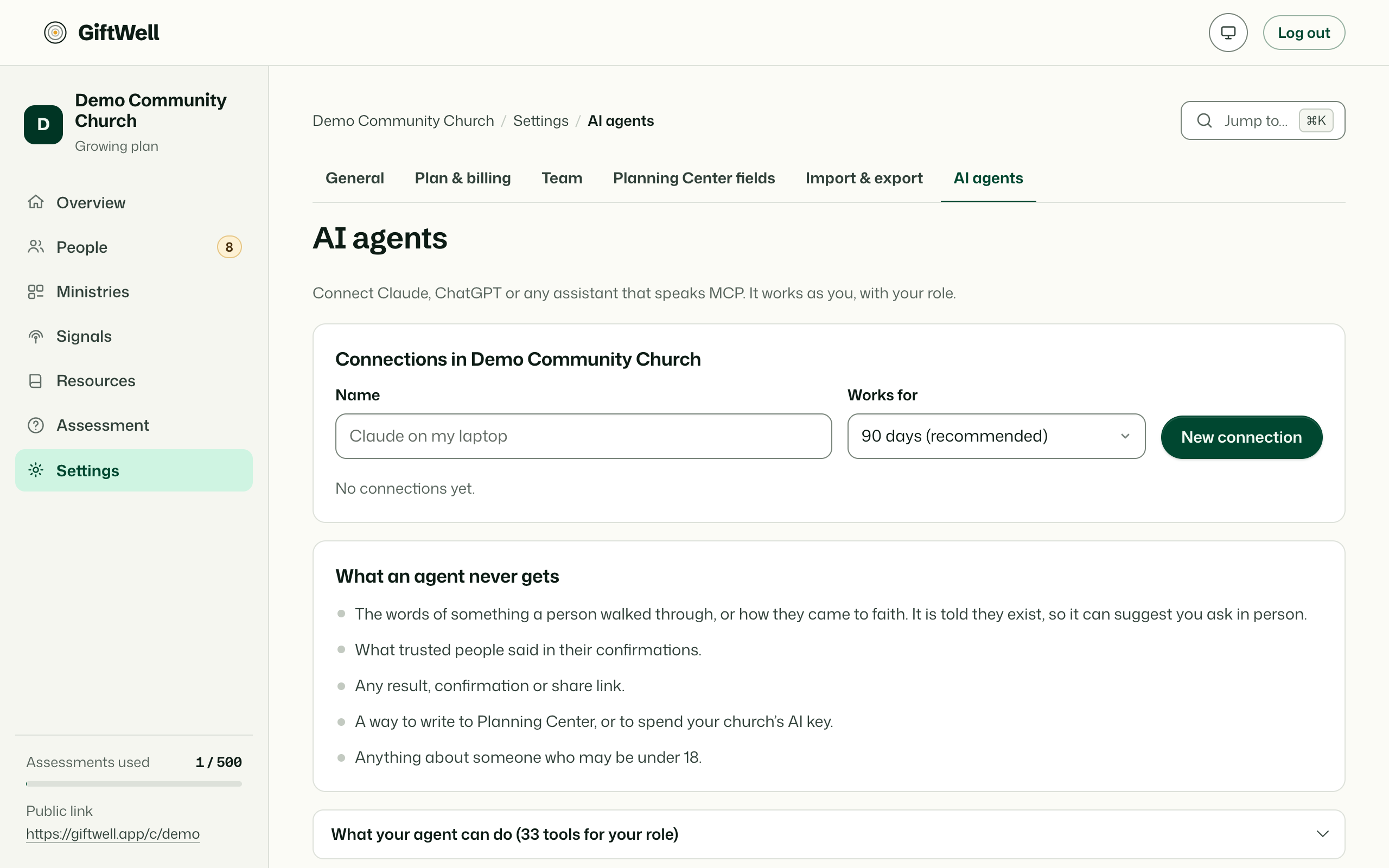
What an agent can do
Anything a person with the same role could do on the screens: list who is waiting, open a result (as bands, never a ranking), log a conversation, place someone, mark an introduction, save a ministry or a watch, find ministries for a gift, pull the gaps. For a new church it can work through setup step by step.
Everything an agent does is a note for the team. It never contacts a member, never writes to Planning Center, and in the demo church every write is refused.
What an agent never gets
The same things a brief never gets, and more: the words of something I have walked through, how someone came to faith, what trusted people said in confirmations, any result or confirmation link, people who did not share with the pastoral team, anyone who may be under 18. When something exists but is withheld, the agent is told so and told to suggest the pastor ask in person.
Connecting one
Settings → AI agents. New connection: a name (Claude on my laptop), a role no higher than your own, and how long it lives (a week by default, 90 days at most). The page shows the one block of instructions to paste into Claude Code, Claude Desktop or any assistant that speaks the Model Context Protocol. Revoke a connection any time; everything it did is in the history under its name.
For the person running the assistant
The instructions tell the assistant how GiftWell wants results read: bands, margins, no maturity scores, no single-gift labels. If your assistant starts ranking people's gifts, that is the assistant ignoring them, and the pastor should still have the conversation.
Try it on your own church
Your assessment link works the minute you sign up. The first 50 people are free, and there is no card to enter.
This page as Markdown, for notes or an AI assistant.