Documentation · Getting started
Sharing the assessment
The link, the website embed and the bulletin, and what a member sees from the first tap to their result.
For: AdminOwner
See this screen in the demo church
Your church has one assessment link. Everything else is a way of putting it in front of people.
Three ways to share it
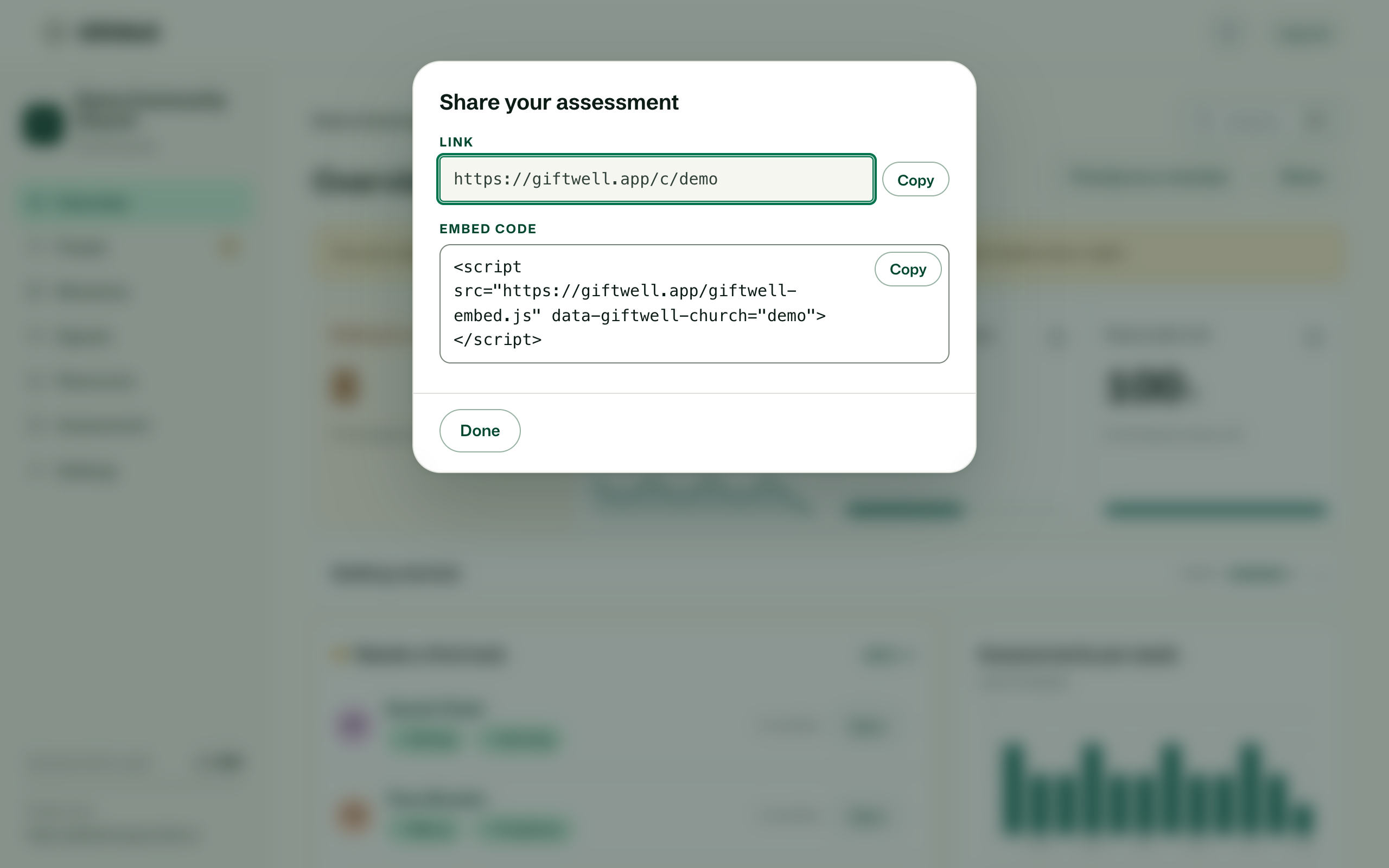
Share on the Overview opens a small dialog with the link and the embed code.
- The link.
giftwell.app/c/your-churchopens a page in your colours with the assessment on it. Put it in an email, a text, or a QR code in the bulletin. People answer on their phones during the announcements and finish at lunch; progress saves on the device. - Your website. The snippet is one line of HTML. Paste it into a page on WordPress, Squarespace, Wix or anything else that lets you add an embed, and the assessment appears inside your site, full width, in your colours. It grows to fit the questions and never shows a scrollbar inside a scrollbar.
- Your own address. From the Small plan you can serve the assessment at a subdomain of your church, like
gift.yourchurch.org, set under Settings → General → Your address on the web. GiftWell never puts you on a GiftWell subdomain you did not choose.
What a member sees
The welcome page carries your church's name, colour and welcome line. Then about ten minutes of statements, answered one at a time with a progress count. At the end they choose whether to share their result with the pastoral team, and whether their answers about gifts of the Spirit may be kept. Their result opens immediately: gifts in bands, the gift at the edge, a first look at how they build up the church, and the serving teams at your church that need what they carry.
They get a private link to come back to it, and a link they can send to two people who know them well, who confirm or add to what showed up. Nothing asks them to make an account.
The whole page works with JavaScript off and on a poor connection, because it was built for a phone in a pew.
When results arrive
Each finished assessment lands on your Overview under Needs a first look and in the People list. If you turned on the weekly digest, Monday's email says who is waiting. If Planning Center is connected and mapped, the person's band names are written to the fields you chose.
Before the first Sunday
- Take it yourself from the link, so you have seen what they will see.
- Add your serving teams, so results suggest real places to serve rather than nothing.
- Add two or three ministries with what they need, so Where we need people has something to say on Monday.
- Decide who gets the digest.
Try it on your own church
Your assessment link works the minute you sign up. The first 50 people are free, and there is no card to enter.
This page as Markdown, for notes or an AI assistant.