Documentation · People and follow-up
The weekly digest
One email a week that says who is waiting, what arrived, which placements need a check-in and what the signals are doing. Nothing if there is nothing.
For: PastorAdminOwner
See this screen in the demo church
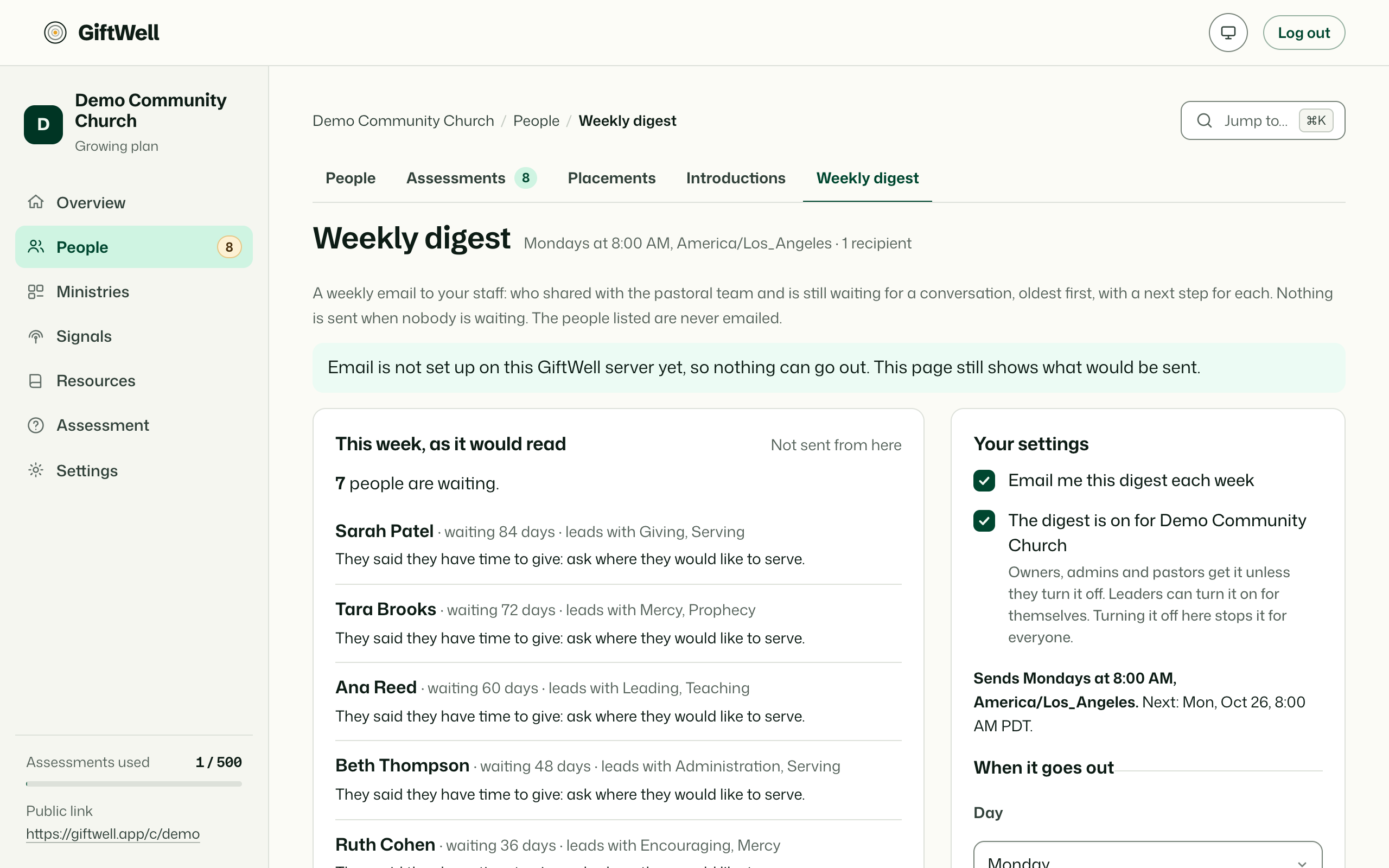
What is in it
- Waiting for a first look, oldest first, with lead gifts and who follows up.
- New this week, and the week's count against the week before.
- Placements to check on: people placed about a month ago whose did it take question is unanswered.
- Signals that moved, one line each.
- Introductions still open, if your church uses them.
If none of those has anything in it, no email goes out that week.
Who gets it and when
By default it goes to owners, admins and pastors every Monday at 8:00 in your church's time zone. On Digest you can change the day and hour, choose the people, and turn it off. Each recipient is a member of your team; it never goes to a member of the congregation.
Send me a preview sends this week's digest to you now, so you can see it before the team does.
Who sees what
Pastors, admins and the owner can see and change the digest settings. A leader who is chosen as a recipient receives it; the section about the people they follow up with is first.
Try it on your own church
Your assessment link works the minute you sign up. The first 50 people are free, and there is no card to enter.
This page as Markdown, for notes or an AI assistant.