Documentation · Your team
Team and roles
Who is on your team, the five roles and exactly what each one can see, inviting people, viewing as them, and what happens when someone leaves.
For: AdminOwner
See this screen in the demo church
The five roles
| Role | Sees | Does |
|---|---|---|
| Viewer | The Overview's counts and charts, gaps as counts | Nothing by name. For elders and boards. |
| Leader | People who shared with the pastoral team, and the ministries they lead | Logs conversations, places and introduces within their ministries |
| Pastor | Everyone, including people who did not share | Everything a leader does for the whole church, plus ministries, signals, resources, digest |
| Admin | Everything | Everything a pastor does, plus settings, team, integrations, import and export |
| Owner | Everything | Everything, plus billing, the Planning Center connection and deleting the church. One per church. |
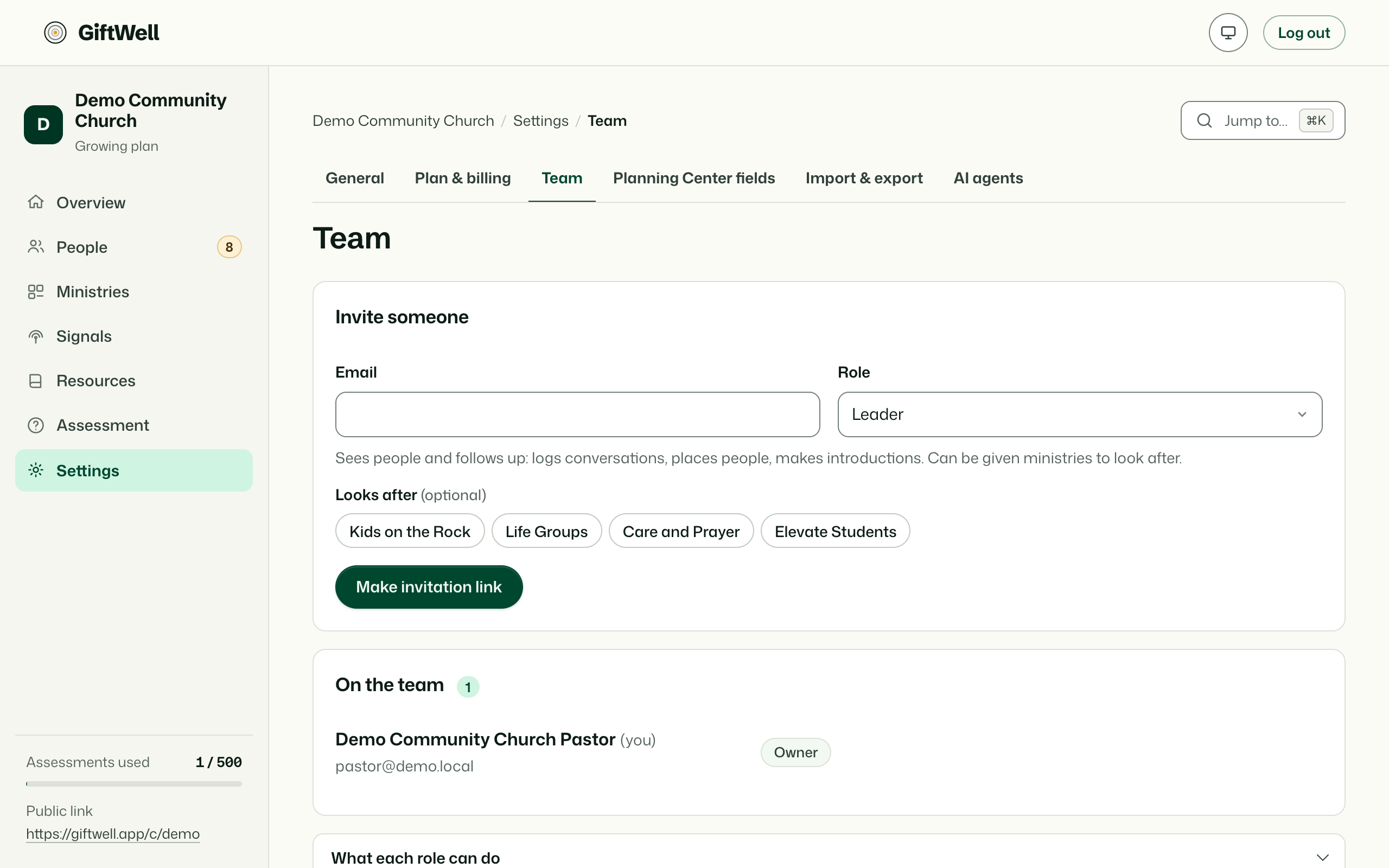
A leader is given ministries when invited. The role list on the Team page says each of these in a sentence, so you can choose with the page open.
Inviting someone
Name, email, role, and for a leader the ministries. They get an email with a link that is good for 14 days. They can sign in with an email and password, or with Google, and the invitation is tied to the address you entered. If they already have a GiftWell account for another church, the same sign-in now shows both.
An invitation that has not been accepted can be resent or withdrawn from this page.
View as
Admins and the owner can view as any member of the team to see exactly what they see: the leader's smaller sidebar, the viewer's counts. A banner says who you are viewing as, and nothing done while viewing is attributed to them.
Changing and removing
Change a role in place. Removing someone ends their access immediately; what they logged and placed stays in the history under their name. The owner cannot be removed, but can hand ownership to another admin from Settings.
What a team member never sees
Nobody on the team, whatever their role, can read another church's data, see a member's result-page link or confirmation link, or see who gave a doc-page thumbs up.
Try it on your own church
Your assessment link works the minute you sign up. The first 50 people are free, and there is no card to enter.
This page as Markdown, for notes or an AI assistant.