Documentation · The assessment
Questions, wording and the builder
How the test is doing on your people, trying a new question without it counting, rewording, editing the result page's words, and bringing in questions of your own.
For: AdminOwner
See this screen in the demo church
Three screens under Assessment in the sidebar, for admins and the owner.
Questions: how the test is doing
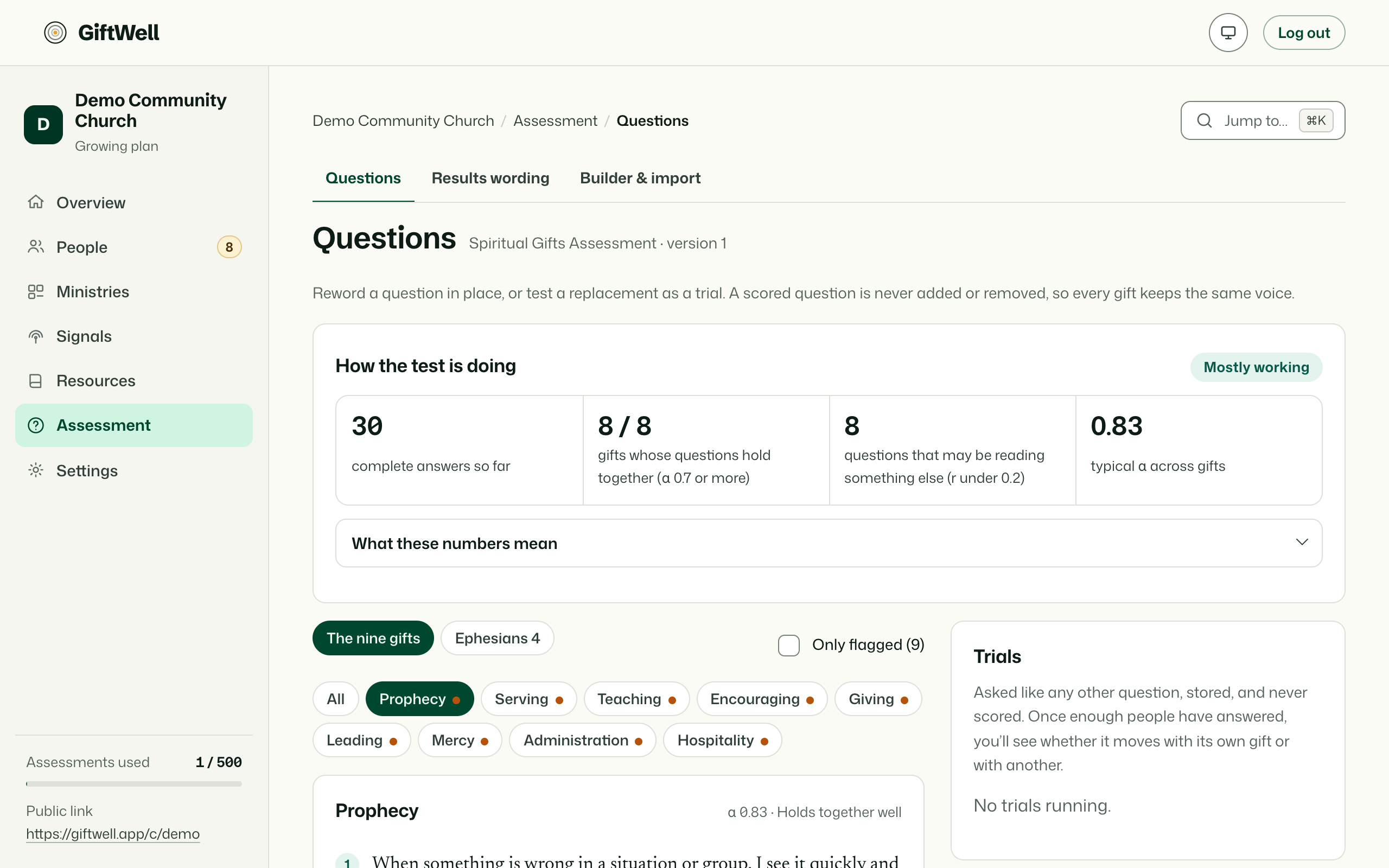
Pick a gift and see its five statements with, once enough people have answered, how each one is behaving: how many answered, the average, how spread out the answers are, and how well the statement moves with the rest of its gift. A statement everybody agrees with tells you nothing; a statement that does not move with its gift is measuring something else. The page flags those, and What these numbers mean explains every term in a sentence.
Reword a statement in place. New results use the new wording; past results keep the wording they were answered against.
Test a new question. Write a statement for a gift or an Ephesians 4 function and start a trial. People answer it like any other, but it does not count toward anyone's result until you decide. When the trial has enough answers to judge, Swap in replaces an existing statement with it; the old one retires. You can also retire a trial that did not work.
Results wording
Every phrase on the result page can be yours: what each gift is, what it looks like in a person, and for each pair of gifts the tension that pair tends to carry. Pick an item, write, save. Use ours restores the original. Members see the change the next time a result is opened; nothing is rescored.
Builder & import
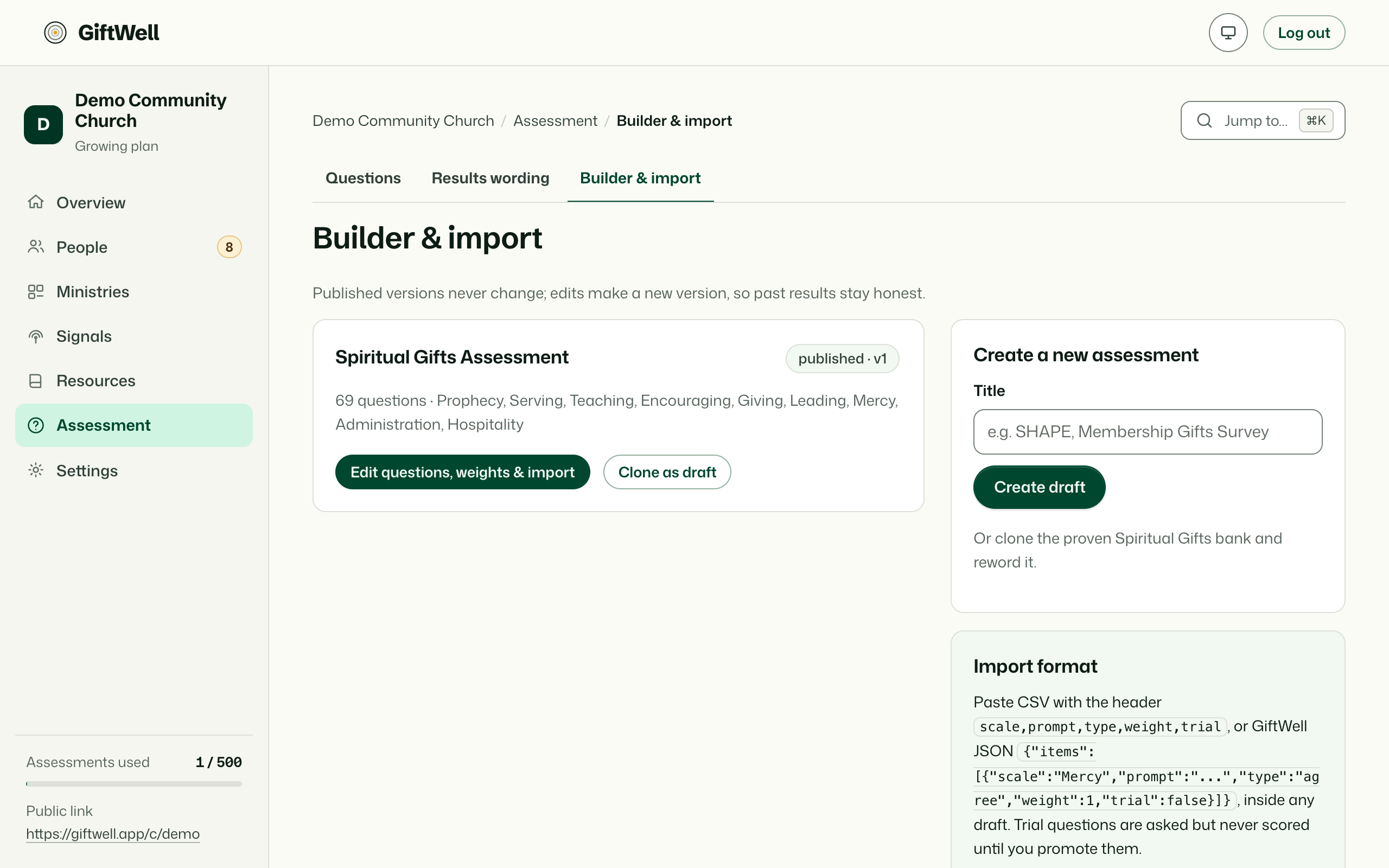
For a church that already has questions it trusts, like SHAPE or a homegrown inventory, on the Growing plan:
- Create a new assessment as a draft, or Clone as draft from the one you have, and edit its questions, scales and weights.
- Import questions as CSV or JSON in the format shown on the page.
- Publishing creates a new version. Results already taken keep the questions they were answered against, forever.
The default assessment stays available; the builder exists so that a church with a tradition of its own is not forced to abandon it.
Try it on your own church
Your assessment link works the minute you sign up. The first 50 people are free, and there is no card to enter.
This page as Markdown, for notes or an AI assistant.