Documentation · Getting started
Start here
What GiftWell is, what happens in your first fifteen minutes, and the one moment that shows you what it is for.
For: Everyone on the team
See this screen in the demo church
GiftWell is a spiritual gifts assessment your church puts on its website or in the bulletin, and a follow-up list for the people on your team who help members find a place to serve.
A member answers on their phone in about ten minutes. They see their gifts in bands, with the margin of error drawn honestly, and the serving teams at your church that need those gifts. You see everyone who finished, what they wrote, whether they agreed to be contacted, and who on your team is walking with them.
Your first fifteen minutes
- Create your church. Your assessment link works the moment you click create. Nothing to install.
- Add your look. Your church's name, accent colour and a welcome line. If you give GiftWell your website address it pulls the colours and logo for you, and looks for your ministries while it is there.
- Connect Planning Center, or skip it. One sign-in. You can come back to this any time.
- Add an AI key, or skip it. Only needed for optional staff-only briefs. GiftWell never supplies the AI.
- Share the link. Put it in Sunday's bulletin, on your website, or in an email. Open the list on Monday.
The Overview keeps this checklist in front of you until it is done, and a short tour on your first login walks you through the screens your role can see.
The moment it earns its place
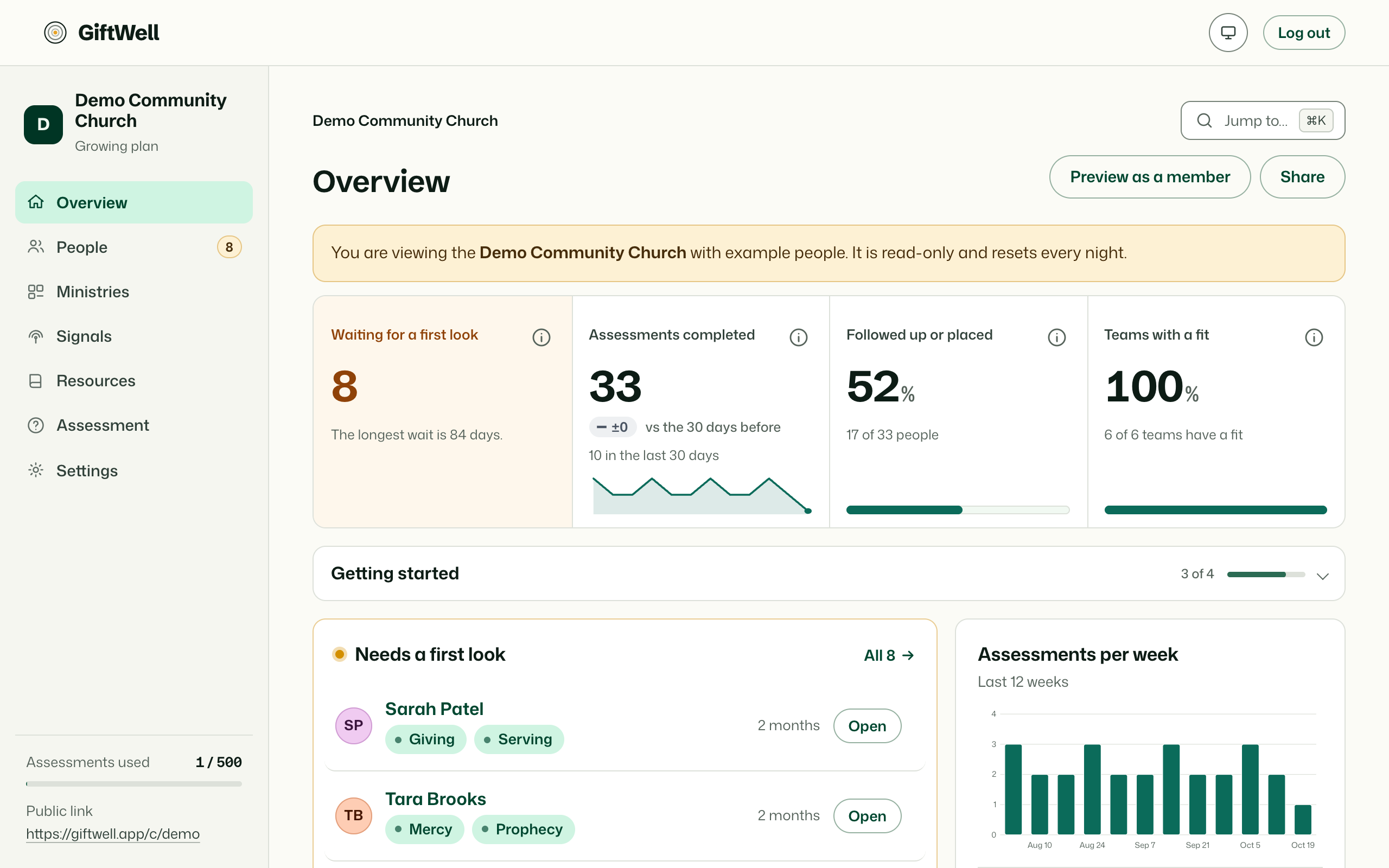
Someone finishes the assessment and lands in Needs a first look on the Overview. Open their result: their gifts in bands, what they wrote about the kind of helping that makes them come alive, whether you may contact them, and the teams at your church that fit. That takes about a minute, and it is the whole product in miniature: a real person, a real conversation to have, and a real place to point them.
Everything else in GiftWell exists to make that moment happen more often and get lost less: the weekly digest that says who is waiting, the ministries page that says where you need people, the placements list that asks whether it took.
Who this documentation is for
Each page says near the top who sees the screen it describes. A viewer sees counts; a leader follows up with people; a pastor also shapes ministries, signals and resources; an admin sets everything up; the owner holds the account. If you are a member who took the assessment, the pages under For the people who take it are yours.
If something is wrong
Every admin screen has Send feedback in the corner: a feature request, a bug report (it attaches the page you were on), or a thought. A person reads every one. For anything about your data, write to the address on the privacy page.
Try it on your own church
Your assessment link works the minute you sign up. The first 50 people are free, and there is no card to enter.
This page as Markdown, for notes or an AI assistant.