Documentation · Getting started
The Overview
The first screen after sign-in: who is waiting for a first look, what arrived this week, what is changing, and the setup steps left.
For: Everyone on the team
See this screen in the demo church
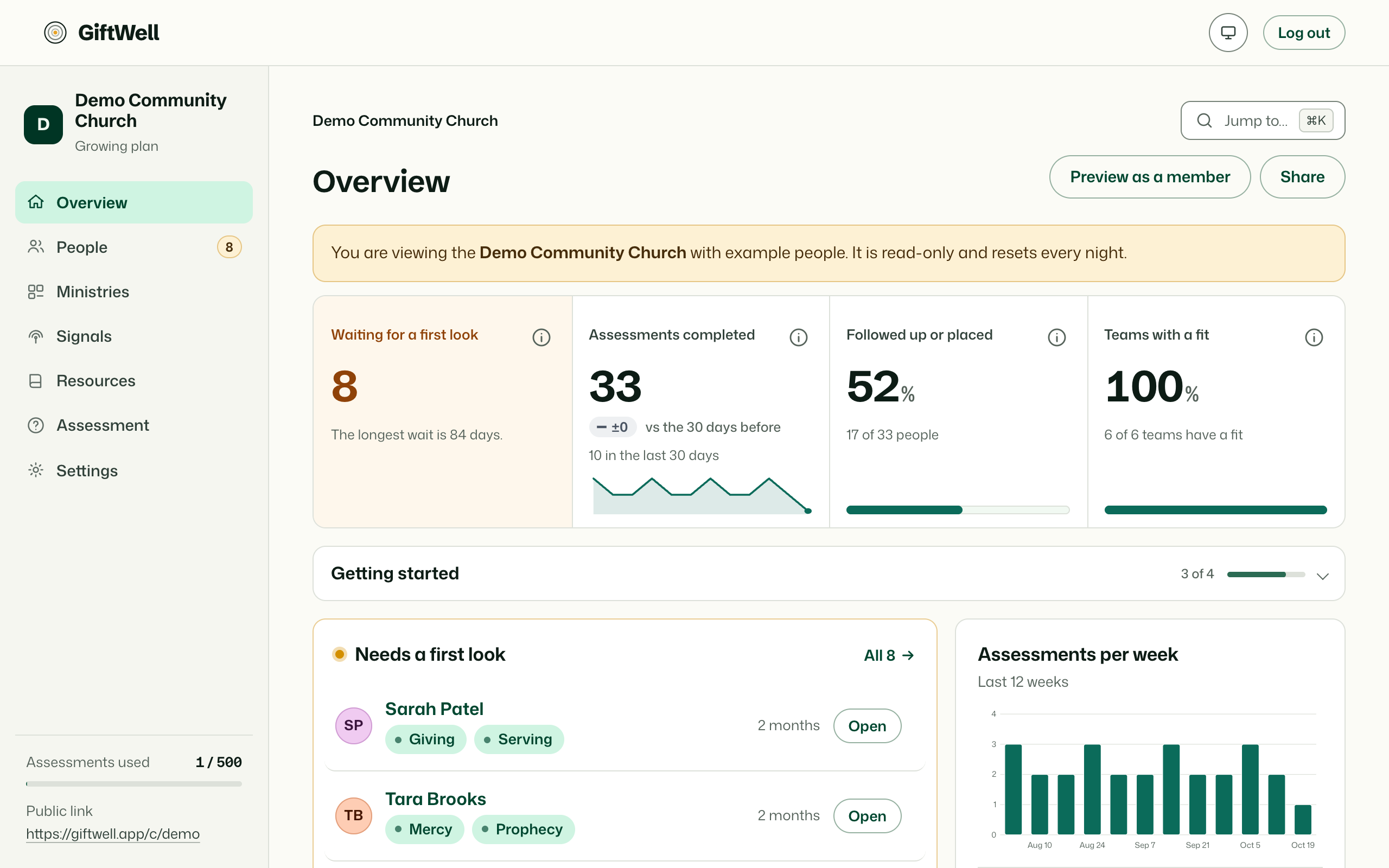
Needs a first look
The top of the page is the only list that matters this week: people who finished the assessment and nobody on the team has opened yet. Oldest first, with their lead gifts, how long they have waited, and who follows up with them if someone has been chosen. Each row suggests a ministry when one fits, with the reason in words.
Open a name and the result page is the conversation guide. Mark it walked through, log the conversation, or place the person, and they leave this list.
Someone is "waiting" when their newest result is still new, nobody has logged a conversation or placed them, and no earlier result of theirs was ever opened. A returning person whose first result you read years ago does not jump the queue.
The numbers
Four small counts: waiting, assessments completed in the last 30 days against the 30 before, and the rest of the follow-up funnel. Below them, a bar for each of the last weeks, so a bulletin push shows up as a bump.
Signals, recent results, insights
- Signals shows the watches that are rising right now, in one line each, with a link to the Signals page.
- Recent lists the latest results with where they came from: the bulletin link, the website embed, an import.
- Insights is a set of tabs, one at a time: what is changing in the mix of gifts, how Ephesians 4 leanings fall, how your serving teams line up with the gifts arriving, and, if you joined it, how your church compares with others. Small numbers are hidden rather than rounded, so nobody can be picked out.
Preview as a member, and Share
Two buttons in the corner. Preview as a member opens your public page as a visitor would see it. Share gives you the link and the website snippet (Sharing the assessment).
The setup checklist
Until your church is set up, the Overview keeps a short checklist at the top: brand, serving teams, ministries, Planning Center, team. Each step links to the screen that finishes it. It goes away on its own.
Who sees what
Everyone on the team sees the Overview. A viewer sees the counts and the charts but no names; leaders and up see the people.
Try it on your own church
Your assessment link works the minute you sign up. The first 50 people are free, and there is no card to enter.
This page as Markdown, for notes or an AI assistant.