Documentation · Integrations and agents
Ask AI
A chat at the bottom right of every screen that answers questions about your church from your real list, on your church's own AI key. Pastors, admins and the owner only. It reads; it never changes anything.
For: PastorAdminOwner
See this screen in the demo church
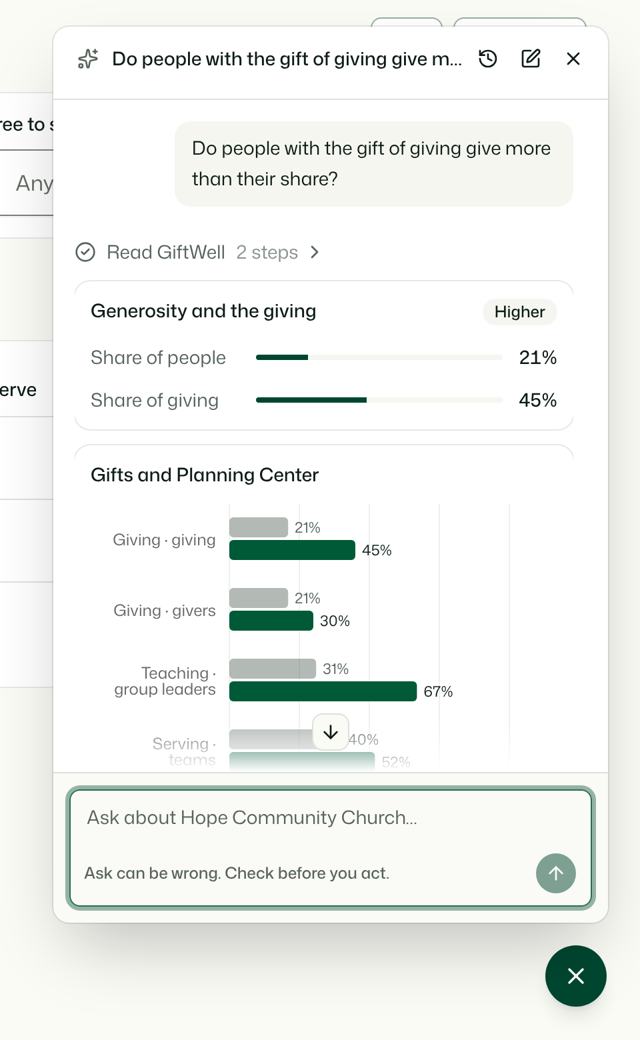
Opening it
Press the round button at the bottom right of any screen, or press ⌘K (Ctrl+K) and choose Ask AI. Whatever you typed in the command menu is asked straight away, in a new chat. On a phone it fills the screen; on a computer it floats over the page, so you can open a person it names and keep the chat beside you.
It runs on your church's own AI key (OpenRouter, OpenAI or Anthropic), the same one as AI briefs. Until an admin adds a key, the panel says so and links admins to it. It is off in the demo church.
Who can use it
Pastors, admins and the owner. Leaders and viewers don't see the button, and the server refuses their requests even if they find the address.
Inside, it can only use the reads your own role can: a pastor's chat can't open what only an admin can, such as editing the pathway. It never writes: it can't place, log, add or contact anyone, or write to Planning Center. Ask it to change something and it says where in GiftWell that is done.
What it can answer
Anything the read-only agent tools cover: who is waiting, gifts across the church, serving teams and gaps, roles and who could grow into them, the pathway, introductions and walks.
From Planning Center it can also compare gifts with what was read there:
- Giving, as shares only. "People who lead with Giving are 21% of the people and 45% of the giving." It never says what anyone gave, whether a named person gave, or any amount.
- Group leaders against teaching, shepherding or leadership gifts, and which groups each person leads.
- Serving teams, check-ins and ministry leaders, the same way.
When a giving or groups answer comes back unknown, it checks which Planning Center products your church approved and says plainly whether an admin needs to reconnect Planning Center to approve Giving or Groups.
Answers use the same cards as the rest of GiftWell: a number, a share, a short list of people, a chart. Each person it names links to their page in GiftWell, never to an email address.
The safeguards
- Your role, no more. The chat is given only the reads your role can use. Writes are never offered.
- Giving is aggregate. A share is withheld when fewer than 3 people are on either side. A comparison for a gift you name is made one gift at a time and rounded to the nearest 5 points, so two answers can't be subtracted to find one person's giving.
- The same privacy rules as agents. What a person wrote, their faith story and staff notes stay behind the sensitive-field rules. People who didn't share with the pastoral team aren't named, and anyone who may be under 18 isn't described.
- Counted, not read. The activity log keeps a fingerprint of each question, its length and which reads ran, never the words. Each person has a daily limit.
- It can be wrong. Check a name or number before you act on it.
Your chats
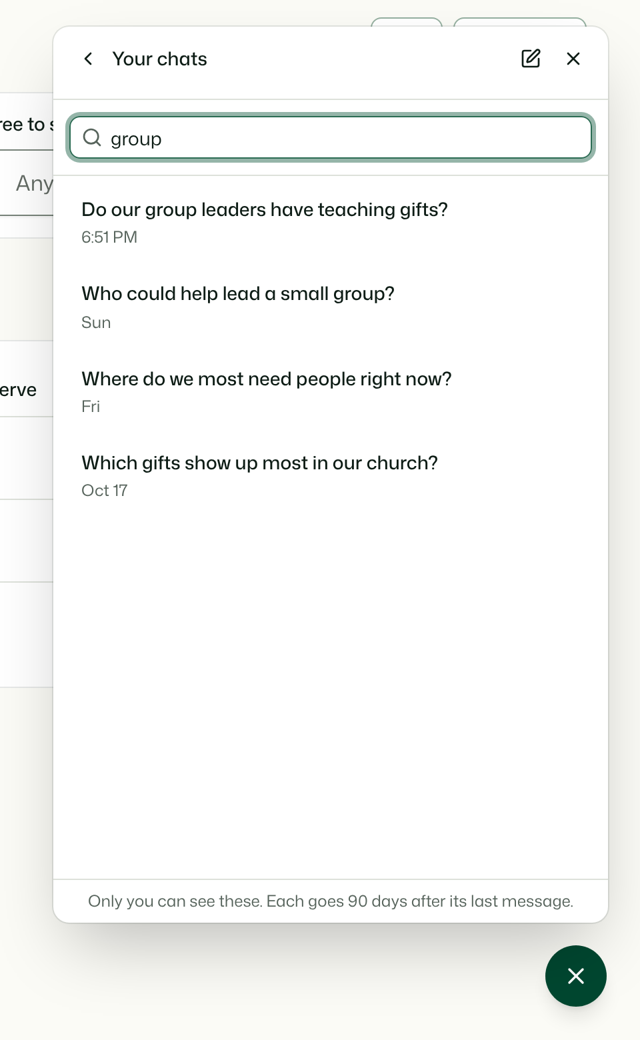
Each chat is saved for you alone, encrypted. Nobody else on the team can see it, an admin or the owner included. The history button lists your chats, newest first; search finds words in the title or anywhere in the chat. Open one to carry on where you left off, or delete it. New chat starts fresh.
A chat is erased 90 days after its last message. Your chats download as a file from Import & export, and only yours.
Try it on your own church
Your assessment link works the minute you sign up. The first 50 people are free, and there is no card to enter.
This page as Markdown, for notes or an AI assistant.