Documentation · Signals and insight
Where people want to grow
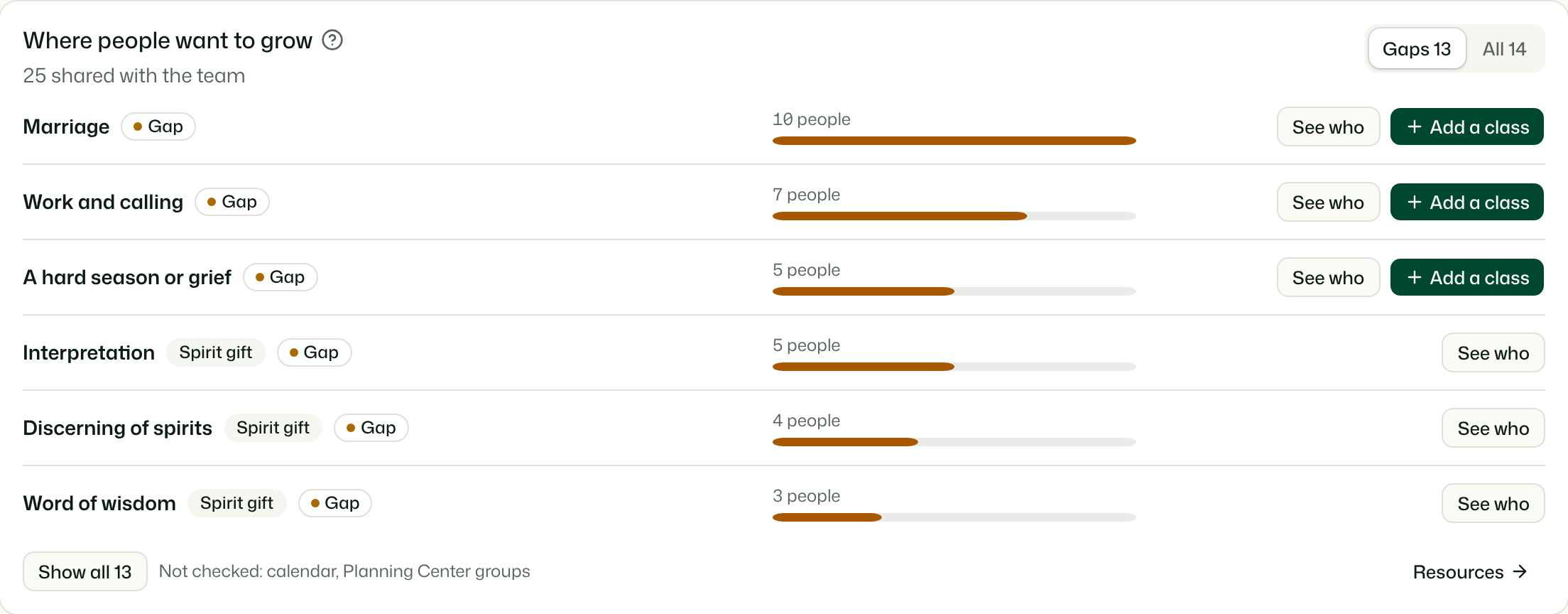
What people said they would love to grow in, set against the classes, events, groups and resources your church already offers, so you can see where to start something.
For: PastorAdminOwner
See this screen in the demo church
What it compares
Two kinds of wanting, from the assessment:
- Growth areas: the choices people pick for "What would you love to grow in right now?" on the last screen, your church's own list or GiftWell's (Settings).
- Spirit gifts people are hungry for and still new to (never, or once or twice).
Against everything you already offer on that topic:
- Classes, events and conferences on your Resources that haven't ended, matched by their growth topics or their title.
- Your calendar: Planning Center Calendar, Check-Ins events and open Registrations sign-ups, and your website's event feed (Signals reads the same calendar).
- Planning Center groups, matched by name and description.
- Things to read or watch: books, podcasts, articles and videos on your Resources.
A growth area matches on its own words and a few close ones ("Marriage" also finds couples and spouse; "A hard season or grief" also finds loss and lament), by the start of a word. Words that say who something is for, like kids or family, don't count, so a kids' training night isn't read as a parenting class. A Spirit gift matches resources tagged with that gift, and events or groups that name it.
Gap, only reading, stretched, offered
Each area gets one state, by plain rules:
- Gap: people want it and nothing is offered at all.
- Only reading: there are books or videos, but nothing to join.
- Stretched: there is something to join, but more than 12 people for each class, event or group.
- Offered: there is something to join.
Gaps come first, then the most wanted. Gaps and All switch between the areas that need something and every area anyone picked.
Acting on it
- See who opens the follow-up list filtered to the people who picked that area. Names appear only there.
- The offerings button shows what was matched, with links, so you can invite people to what already exists.
- Add a class opens a new resource as a course or class with the area as its growth topic. Once it is saved with a date and a place, the area stops reading as a gap and the people who picked it see it on their page.
When it can't see everything
When Planning Center isn't connected, or a calendar or groups could not be read, the card says what it didn't check. A gap there may be on a calendar GiftWell couldn't read, so check before you start something new.
Who sees what
- Pastors, admins and owners see it on the Overview. Leaders and viewers don't.
- It is counts only. A pick is counted only from people who shared with the team, and a Spirit gift only from people who also agreed to keep it, the same as on Insights.
- Groups are read by name, description and schedule. Who is in a group is never read.
- Nothing here contacts anyone or writes to Planning Center.
- AI agents and Ask AI can read the same comparison with get-growth-gaps (pastors and up).
Try it on your own church
Your assessment link works the minute you sign up. The first 50 people are free, and there is no card to enter.
This page as Markdown, for notes or an AI assistant.