Documentation · People and follow-up
Drifting and carrying a lot
Two flags for whoever follows up with someone. Drifting means they have gone quiet and nothing holds them. Carrying a lot means they serve in many places or nearly every week.
For: LeaderPastorAdminOwner
See this screen in the demo church
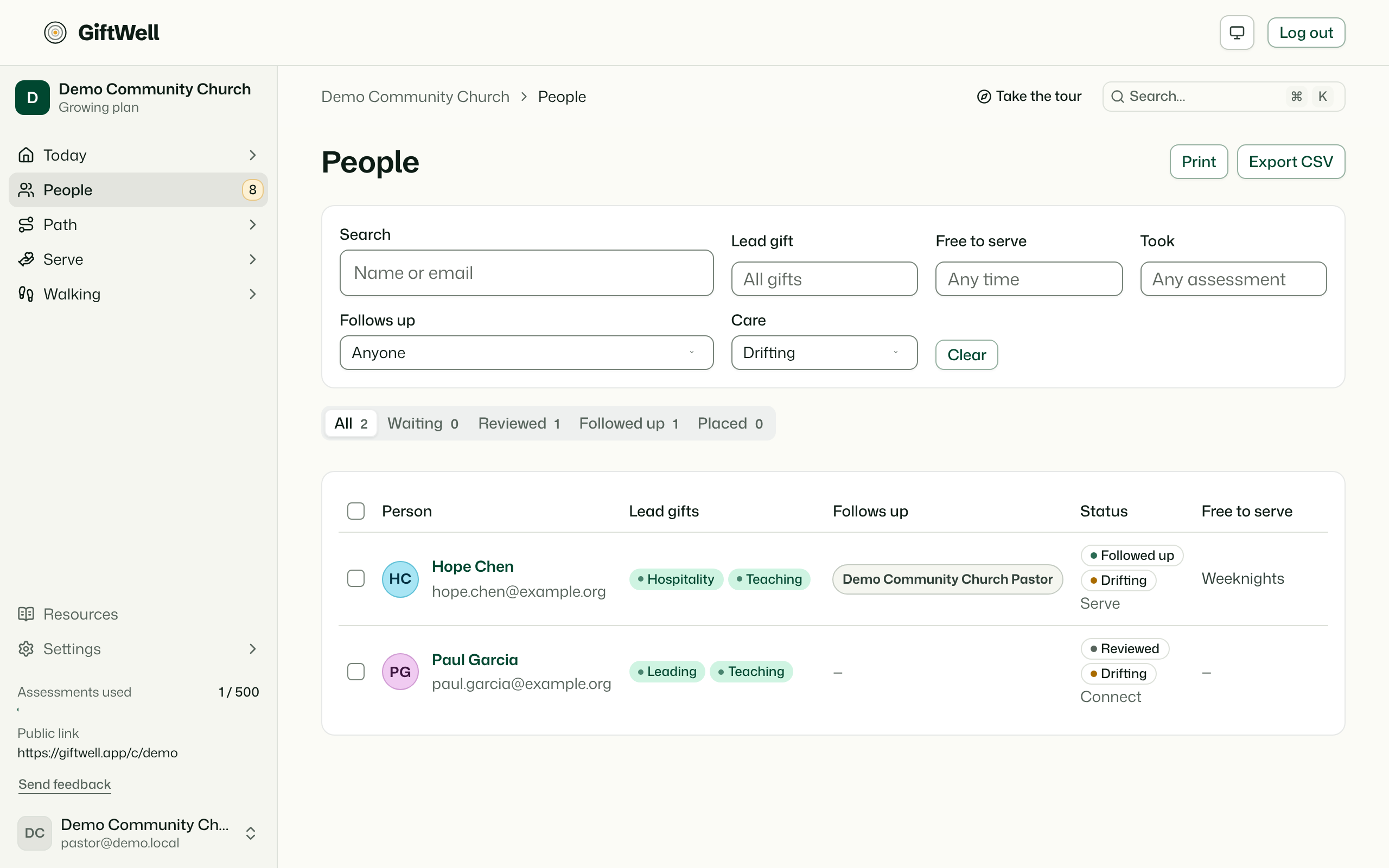
GiftWell joins signals it already has into two flags. Each flag goes to the person's shepherd: whoever follows up with them on People. GiftWell never contacts the person. The next step is always yours.
Drifting
Someone is drifting when they have gone quiet and nothing holds them.
Gone quiet means any of these:
- Their last check-in in Planning Center Check-Ins was over 90 days ago, and they had checked in before.
- They have stopped serving where they were placed.
- They haven't taken a step on a track they had started for 90 days.
Any of these holds someone, so they are not flagged:
- They are in a Planning Center group, or on a serving team.
- They checked in within the last 30 days.
- They are in a walk, or serving where they were placed.
- Someone on your team logged a conversation with them, or added to their timeline, in the last 30 days.
Not being in a group on its own is not drifting. Many people never join one.
To clear the flag, check in with them, then log the conversation on their page. The flag stays off for 30 days.
Carrying a lot
Someone is carrying a lot when they serve in 3 or more places (Planning Center teams, placements and roles together), or when Planning Center scheduled them in 3 of the last 4 plans on a team.
The fix is usually a conversation, a break, or someone to share the load. Where we need people lists people with more room.
Where you see them
- People: a Drifting or Carrying a lot badge beside the status. Hover or focus it for the reasons. Care filters the list to either flag, and Follows up: Me narrows it to your own people.
- A person's page: the same badges under their name.
- Overview: Who needs me? counts your own flagged people. The Drifting and Load vital signs count the whole church and open the list. The brief says how many of your people may be drifting.
- Weekly digest: each shepherd gets their own flagged people by name, with the reasons. Everyone else who gets the digest sees the counts and how many drifting people have nobody following up.
Who sees what
- The flags show only on screens that already name people: People, a person's page, and the Overview for staff who may see names.
- Faces on the Overview are for pastors and up. Leaders see a count.
- In email, only people who shared their result with the pastoral team, and who aren't held back for age, are named. Everyone else is counted ("in GiftWell only").
- The reasons are facts your team can already see elsewhere: a check-in date, a team, a placement. GiftWell never scores a person, and never tells them they were flagged.
- Planning Center's scheduling is read-only and refreshed at most every 6 hours.
Try it on your own church
Your assessment link works the minute you sign up. The first 50 people are free, and there is no card to enter.
This page as Markdown, for notes or an AI assistant.